AI in My Design Practice
AI is not here to replace design. It is here to expand what designers can do.
I started experimenting with AI tools because I kept running into the same bottlenecks. Early exploration takes too long. Complex workflows are hard to communicate quickly. Repetitive groundwork eats into the time I actually want to spend thinking.
I wanted faster ways to explore ideas, clearer ways to map complex systems, and more space for judgment and intent.
This post walks through a practical example of how I use AI across a real design workflow, from discovery through prototyping, in a way that stays grounded in the human problem.
A Simple Problem to Explore
When I worked on an onboarding project at Intuit, I spent a lot of time understanding how people move through accounting tasks. That work shaped how I think about complexity and where AI can support clarity in high-stakes workflows.
To make this post concrete, I built a small fictional problem inspired by real patterns in accounting work.
The Sample Problem Tax season creates a heavy cognitive load for CPAs. They are managing inconsistent client documents, incomplete data, manual reconciliation, and tight deadlines where errors have real consequences. It is exactly the kind of workflow where AI can reduce repetitive work, surface patterns earlier.
This makes it more useful for exploring how AI can reduce repetitive work, surface patterns sooner, and help designers understand complex workflows more quickly.
AI in Discovery
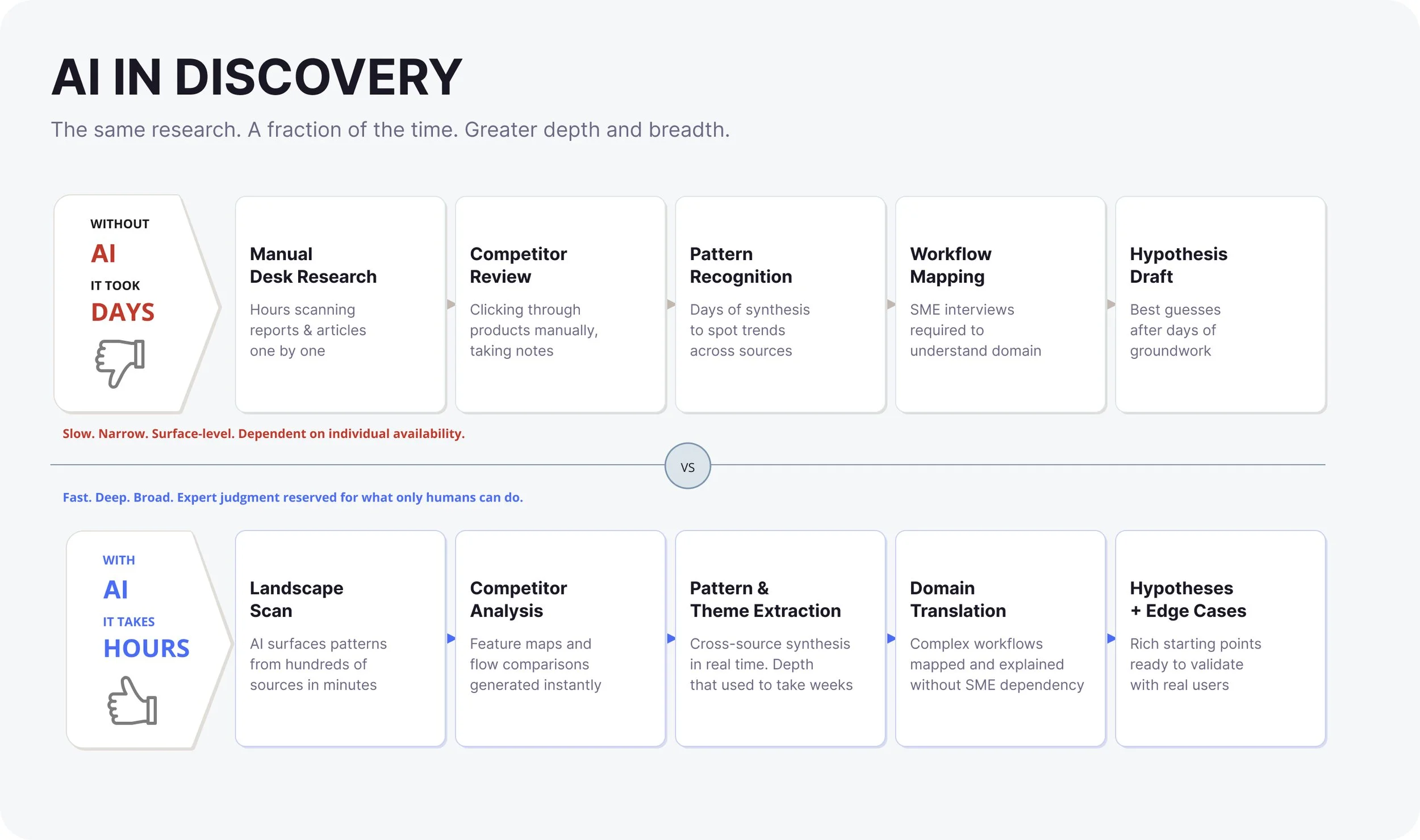
Competitive and workflow analysis that used to take days now takes hours, sometimes minutes. AI accelerates the path to clarity and helps identify where the real friction is before any design work begins.
When I asked AI to summarize reputable industry data on the accounting space, a few signals emerged quickly:
CPAs are facing
3 to 5 times workload increase during tax season for Certified Public Accountant (CPA) firms (QXAS USA)
30 to 40 percent of accounting time spent on manual data entry and reconciliation (AIQ labs)
1 in 3 firms reporting staff shortages during peak season (Unison Globus)
70 percent of firms increasing investment in automation to keep up with demand (Thomson Reuters)
These are not design solutions. They are signals that point toward where a well-designed system could actually make a difference.
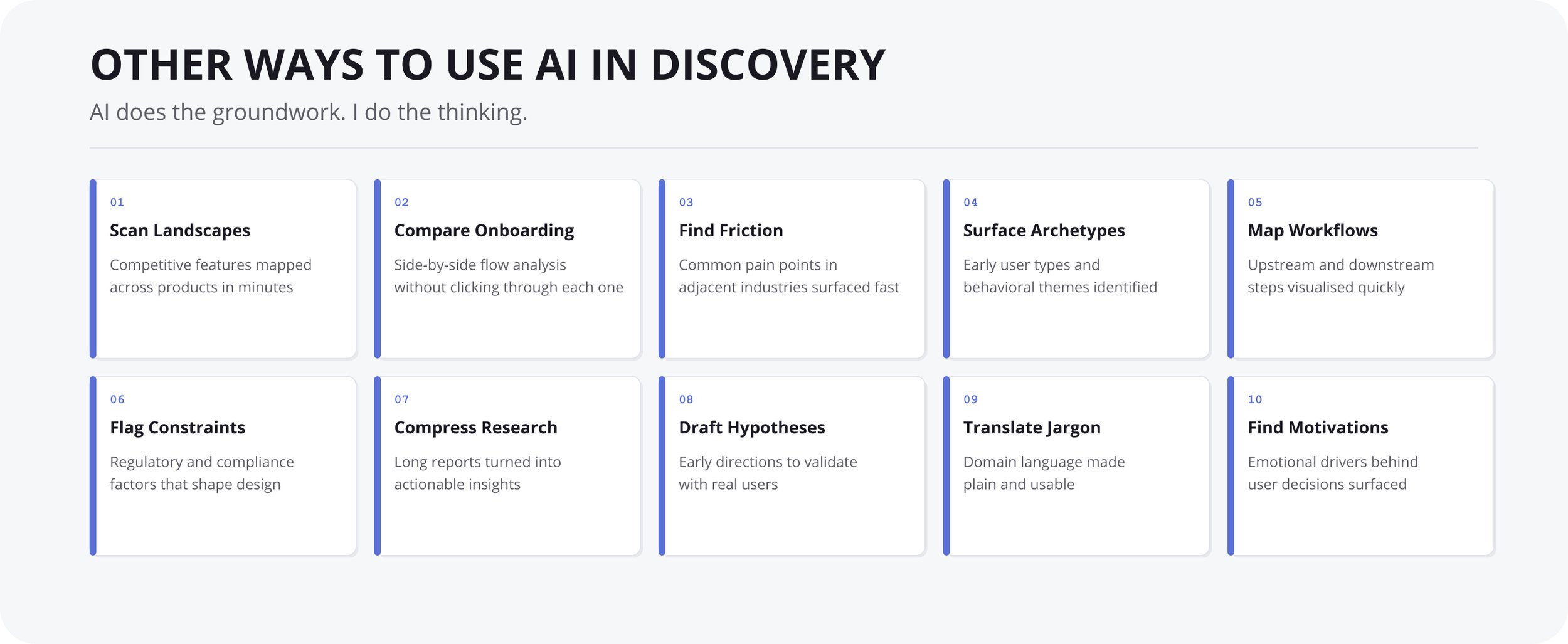
Other ways I use AI in discovery:
Scan competitive landscapes and summarize feature patterns
Compare onboarding flows across similar products
Identify common friction points in adjacent industries
Surface early user archetypes and behavioral themes
Map upstream and downstream workflow dependencies
Highlight regulatory or compliance constraints that shape design decisions
Summarize long research reports into actionable insights
Generate early hypotheses to validate with real users
Translate domain-specific terminology into plain language
Pull out the emotional drivers behind user decisions
Each of these used to take hours. AI does not replace this work. It removes the drag, so I can spend more time on clarity, intent, and the human experience.
The core opportunity: AI supports clarity by reducing noise and highlighting what matters. It gives experts more space for judgment. It does not replace expertise. It strengthens it.
Ideation
Once I understand the opportunity, I use AI to explore early directions. At this stage, I am not looking for solutions. I am looking for patterns, constraints, and possibilities that help me think more clearly before I commit to anything.
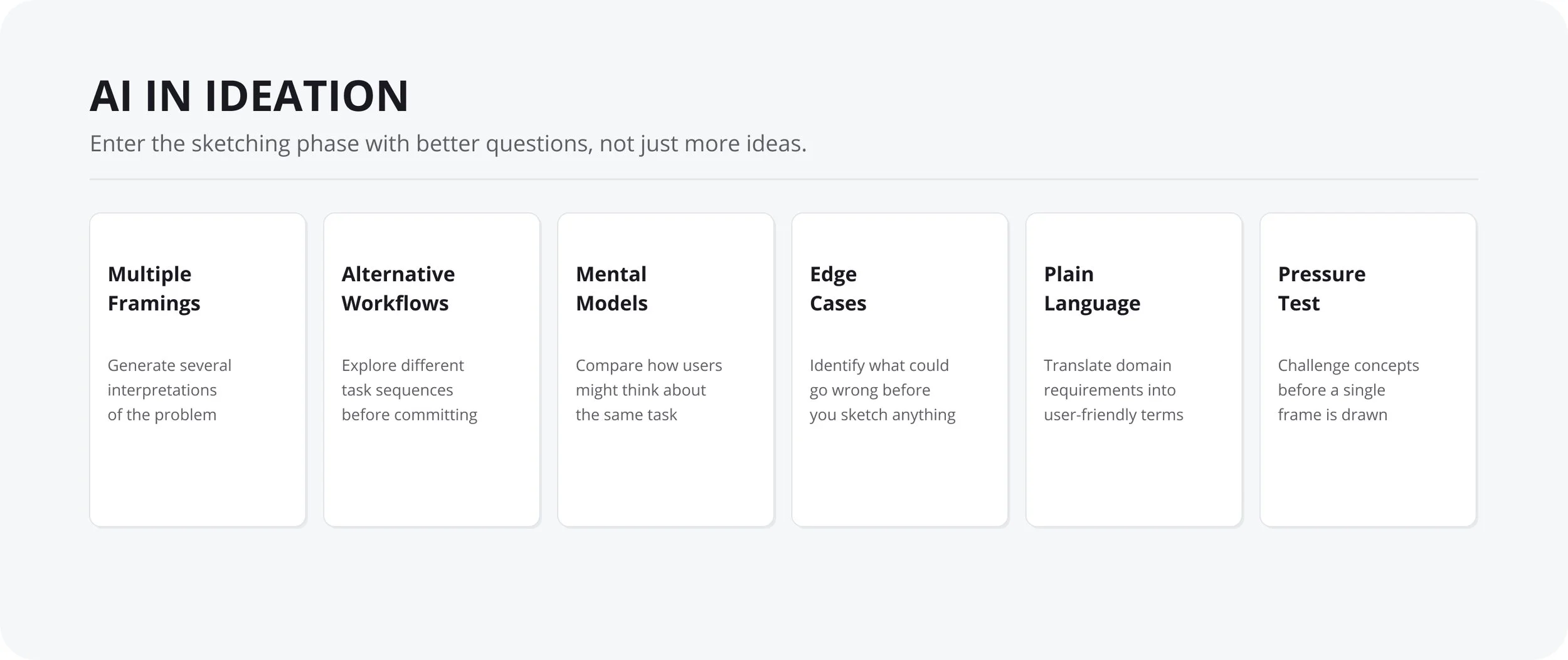
What I use AI for in ideation:
Generate multiple interpretations of the problem
Explore alternative workflows and task sequences
Compare different mental models for the same task
Identify edge cases that might affect the design
Translate domain-specific requirements into user-friendly language
Pressure test early concepts before sketching anything
The goal is to enter the sketching phase with better questions, not just more ideas.
Prototyping
Once the AI-integrated workflow is defined, I move into prototyping. At this stage, polish is not the goal. Validation is.
I want to know whether the redesigned flow actually reduces cognitive load, removes manual steps, and keeps expert judgment where it belongs.
What I prototype first
the AI‑assisted document intake experience
the reconciliation preparation view
the cognitive load reduction layer (summaries, explanations, anomaly highlights)
the expert review interface where humans make final decisions
the compliance and accuracy check flow
These prototypes help me test whether the system is doing the right work, in the right order, at the right level of clarity. I use AI tools to generate layout variations and pressure test the logic before committing to high-fidelity design.
Interactive prototype — click the sidebar to explore · open full screen ↗
One thing worth naming: prototyping with AI works best when it is connected to your design system.
Tools like Claude, v0, and Cursor can generate working UI fast. But if that output does not draw from your existing components and tokens, you end up with work that has to be rebuilt before it can be handed off.
When the prototype is grounded in your design system from the start, the work flows forward. Developers receive something consistent and recognisable. Fewer errors. Less back-and-forth. The AI accelerates the build. The design system makes that speed trustworthy.
Using AI to Test a Prototype
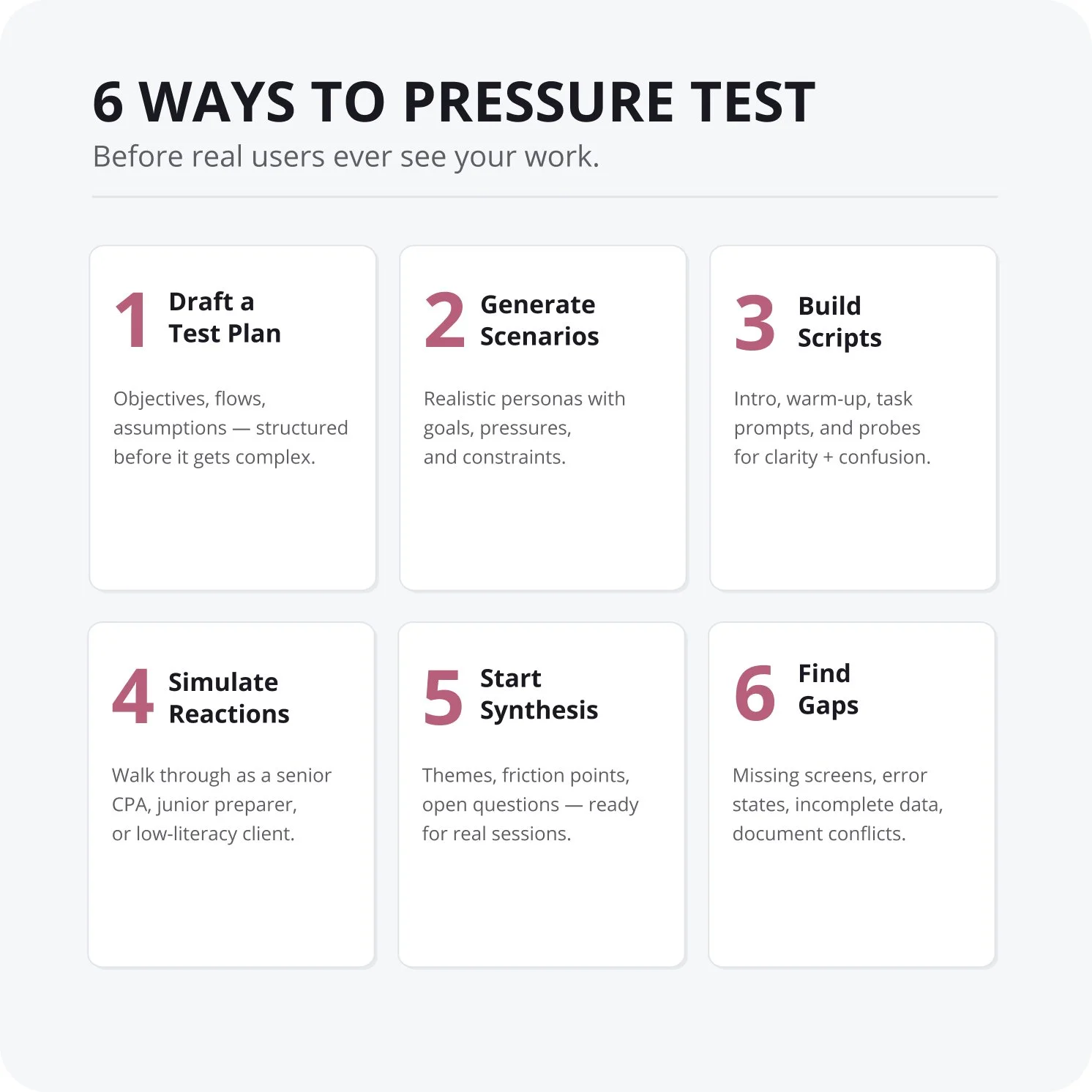
Even with an early, example-level prototype, AI helps me pressure test the experience before involving real users. I use it to simulate reactions, surface blind spots, and prepare the materials I would use in an actual study.
1. Draft a lightweight test plan
AI can generate objectives, the flows I want to evaluate, and the assumptions I am validating. This gives structure to the test without over-engineering it.
2. Generate user scenarios
I ask AI to create realistic CPA personas, including their goals, constraints, pressures, and what they are actually trying to accomplish in the prototype. This helps me check whether the flow maps to real-world behavior.
3. Produce interview or usability scripts
AI can draft intro language, warm-up questions, task prompts, and follow-up probes focused on clarity, confusion, or cognitive load. This is especially useful early, when the prototype is rough and the test needs to stay focused.
4. Simulate user reactions
This is where AI adds the most value. I can ask it to respond as a senior CPA, a junior preparer, or a client with low financial literacy, and have it walk through the prototype narrating what is clear, what is confusing, where cognitive load spikes, where trust breaks, and where the workflow feels too manual or too automated.
It is not a substitute for real users. But it gives me early signal before I ever schedule a session.
5. Generate a synthesis starting point
AI can produce a notes board of themes, friction points, moments of clarity, open questions, and risks. This becomes the backbone of real synthesis if I later run actual sessions.
6. Identify missing states and edge cases
AI can flag what screens I forgot, what error states I need to design, what happens when data is incomplete, and what happens when documents conflict. This is often where the most useful insights surface.
Closing Thoughts
The prototype in this example is intentionally simple. The value is not in the fidelity. It is in the approach.
Start with the human problem. Use AI to explore the landscape faster. Test your thinking early. Move forward with more confidence and less friction.
What I have found in practice is that AI does not make design easier. It makes the hard parts more accessible. The judgment, the intention, the empathy for the person using the system, that is still the work. AI just clears the path to it.
We are early in this shift. But designers who learn to treat AI as a thinking partner, rather than a shortcut, will be the ones building the next generation of systems that actually work for people.
